Smart locks / ULTRALOQ
ULTRALOQ Bolt NFC HomeKey (Apple + Android NFC)
A Wi-Fi deadbolt with Apple Wallet keys and a separate Android NFC credential.
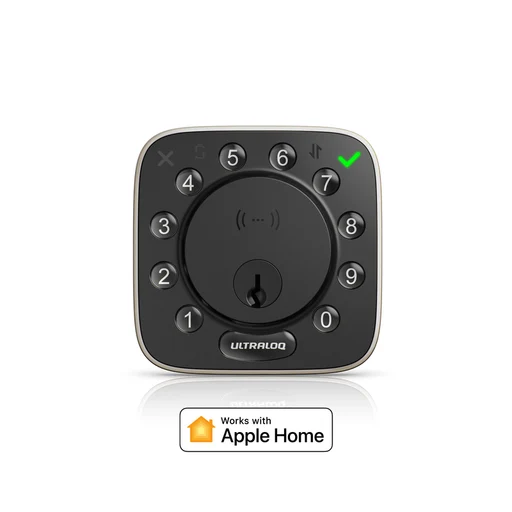
Photo: ULTRALOQ
Model and local version
US-spec Apple + Android NFC version; Australian manufacturer site also researched. The Android-only Bolt NFC is a different model.
Connections: Wi-Fi, Bluetooth, NFC
What it can do
Shared setup
- Use the phone app.For Xthings Home app; Xthings Home from away; Android phone NFC tap.
- iPhone or Android phone.For Xthings Home app; Xthings Home from away.
Features and the setup they need.
| Feature & setup | Confirmation & sources |
|---|---|
Xthings Home appDevice feature Use Xthings Home on iPhone or Android to operate the lock. How to use it
| ✓ Confirmed ULTRALOQ · 2026-10-25
|
Xthings Home from awayDevice feature Built-in Wi-Fi allows remote unlocking and access management. What you’ll need
How to use it
| ✓ Confirmed ULTRALOQ · 2026-10-25
|
Apple Wallet tapApple Home The HomeKey variant supports Apple home keys on iPhone and Apple Watch. What you’ll need
How to use it
| ✓ Confirmed ULTRALOQ · 2026-10-25
|
Android phone NFC tapManufacturer app Tap an NFC-enabled Android phone using an Xthings Home credential. Exact handset and locked-screen support need confirmation. What you’ll need
How to use it
| • Has requirements ULTRALOQ Support · 2026-10-25
|
Guest app access and codesDevice feature Share app access or temporary keypad codes. How to use it
| ✓ Confirmed ULTRALOQ · 2026-10-25
|
Other integrations and limits (4)
| Feature & setup | Confirmation & sources |
|---|---|
Apple home-key sharingApple Home The retrieved setup evidence does not establish this model's wallet invitation requirements. | ? Not confirmed No separate source is recorded for this feature. |
Samsung Wallet tapSmartThings Samsung Wallet home-key support is unverified for this model. | ? Not confirmed No separate source is recorded for this feature. |
Apple UWB hands-freeApple Home UWB unlock-on-approach is unverified for this model. | ? Not confirmed No separate source is recorded for this feature. |
Samsung UWB hands-freeSmartThings Samsung UWB unlock-on-approach is unverified for this model. | ? Not confirmed No separate source is recorded for this feature. |
Where we checked
- ULTRALOQ Bolt NFC ↗ULTRALOQ · checked 2026-10-25
Feature documentation
Only the Full Feature Apple + Android NFC / HomeKey variant is covered; Android-only variant is different.
- Guide of Smartphone NFC ↗ULTRALOQ Support · checked 2026-10-25
Feature documentation
Updated 14 May 2026. App 3.6.5+, Owner/Admin only, one lock per phone; re-enrol after logout or reinstall.
- ULTRALOQ Updates Bolt NFC to Support Android Tap-to-Unlock ↗ULTRALOQ · checked 2026-10-25
Feature documentation
Manufacturer announcement confirms an existing Android app update, separately from Apple home keys.
- Regional catalogue, model or offering evidence ↗ultraloq.com · checked 2026-10-26
Listed in Australia
- Regional catalogue, model or offering evidence ↗ultraloq.com · checked 2026-10-26
Listed in Australia · Listed in United States · Listed in Canada
- Regional catalogue, model or offering evidence ↗ultraloq.com · checked 2026-10-26
Listed in United States
- Regional catalogue, model or offering evidence ↗ultraloq.com · checked 2026-10-26
Listed in Canada
- Regional catalogue, model or offering evidence ↗desertcart.co.uk · checked 2026-10-26
Listed in United Kingdom
Features are based on the linked manufacturer documentation. Household results also check the equipment and software you select. How we check.