EV chargers / Tesla
Tesla Wall Connector Gen 3 (North America, NACS)
NACS connector; hardwired home AC charger. Tesla app charging schedules and monitoring.
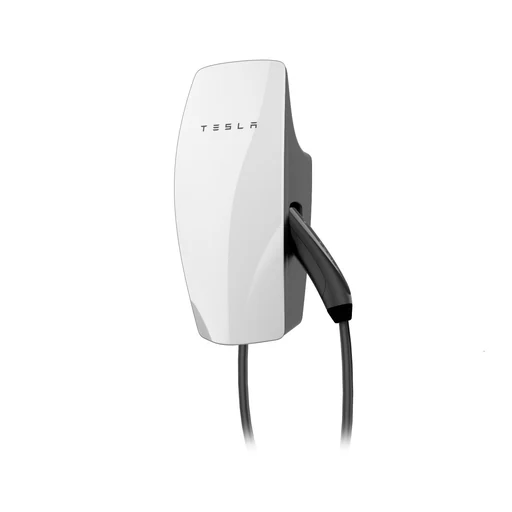
Photo: Tesla
Connections: Wi-Fi
Regional versions and model notes
- United States: support information available; local listing unconfirmed
- Australia: exact local listing unconfirmed
- United Kingdom: exact local listing unconfirmed
- Canada: support information available; local listing unconfirmed
- Powershare is a separate vehicle/system-dependent backup installation; not universal V2H or solar-surplus control.
- No Matter, Apple Home, Google Home, SmartThings or Home Assistant support asserted without exact official evidence. Wi-Fi and OCPP are not themselves smart-home integrations.
- Installer must verify exact regional model, vehicle inlet, available supply, protective devices and current local requirements. Professional electrical installation/commissioning is required; no wiring instructions supplied.
- Exact North American supply/nameplate details should be checked in matching Gen 3 manual; 48 A capability documented in Tesla overview.
What it can do
- North American support table documents 240 V AC and up to 48 A / 11.5 kW.
Shared setup
- Use a compatible phone for this app.For EV charging; Tesla app.
Setup
- Dynamic Power Management needs separately installed Tesla-approved meter; no internet needed for power-management operation.
- NACS connector; hardwired home AC charger.
- North American support table documents 240 V AC and up to 48 A / 11.5 kW.
- Wi-Fi
Features and the setup they need.
| Feature & setup | Confirmation & sources |
|---|---|
EV chargingDevice feature What you’ll need
| ✓ Manufacturer confirmed tesla.com · 2026-10-26
|
Charging load managementDevice feature Dynamic management supports one Gen 3 charger only; group sharing supports up to six Gen 3 units, not third-party chargers. What you’ll need
| ✓ Manufacturer confirmed tesla.com · 2026-10-26 |
Tesla appDevice feature Works with Tesla app. | ✓ Manufacturer confirmed tesla.com · 2026-10-26
|
Model and source notes
- Powershare is a separate vehicle/system-dependent backup installation; not universal V2H or solar-surplus control.
- No Matter, Apple Home, Google Home, SmartThings or Home Assistant support asserted without exact official evidence. Wi-Fi and OCPP are not themselves smart-home integrations.
- Installer must verify exact regional model, vehicle inlet, available supply, protective devices and current local requirements. Professional electrical installation/commissioning is required; no wiring instructions supplied.
- Exact North American supply/nameplate details should be checked in matching Gen 3 manual; 48 A capability documented in Tesla overview.
Where we checked
- Tesla Wall Connector Gen 3 (North America, NACS) — product, support or regional documentation ↗tesla.com · checked 2026-10-26
Feature documentation · Model details
- Tesla Wall Connector Gen 3 (North America, NACS) — product, support or regional documentation ↗tesla.com · checked 2026-10-26
Feature documentation · Model details · Canada: support information available; local listing unconfirmed
- Tesla Wall Connector Gen 3 (North America, NACS) — product, support or regional documentation ↗tesla.com · checked 2026-10-26
Feature documentation · Model details
- Tesla Wall Connector Gen 3 (North America, NACS) — product, support or regional documentation ↗tesla.com · checked 2026-10-26
Feature documentation · Model details · United States: support information available; local listing unconfirmed
Features are based on the linked manufacturer documentation. Household results also check the equipment and software you select. How we check.