Lights / Tapo
Tapo L535B (B22, AU)
A 220–240 V bayonet bulb with colour control in Tapo and a documented Apple Home setup path.
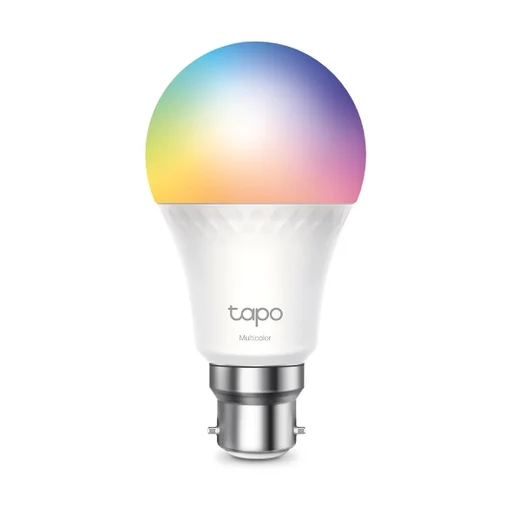
Photo: TP-Link / Tapo
Model and local version
Australian B22 bayonet model, rated for 220–240 V.
Connections: Matter over Wi-Fi, Wi-Fi 2.4 GHz, Bluetooth for setup
What it can do
Shared setup
- This entry covers the Australian B22 bulb.
Features and the setup they need.
| Feature & setup | Confirmation & sources |
|---|---|
Choose colours and brightnessDevice feature Adjust colour, white temperature and dimming in Tapo. What you’ll need
How to use it
| ✓ Confirmed
|
Schedule lightsDevice feature Tapo schedules can turn the bulb on or off with chosen light settings. How to use it
| ✓ Confirmed TP-Link Australia · 2026-10-25
|
Switch the light in Apple HomeApple Home TP-Link names Apple Home as a setup app for this bulb. What you’ll need
How to use it
| ✓ Confirmed TP-Link Australia · 2026-10-25
|
Control the light by voiceGoogle Home Google Assistant control is explicitly listed for L535B. How to use it
| ✓ Confirmed
|
Control the light by voiceAlexa Alexa control is explicitly listed for L535B. How to use it
| ✓ Confirmed
|
Where we checked
- Tapo L535B B22 bulb, Australian product details ↗TP-Link Australia · checked 2026-10-25
Feature documentation
Names Apple Home, Alexa and Google Home commissioning apps. The AU electrical specification is A60 B22, 220–240 V.
- Tapo L535B, Australian specifications ↗TP-Link / Tapo · checked 2026-10-25
Feature documentation
Confirms B22 base, Wi-Fi band and separately named Google/Alexa support. Does not describe per-platform colour-control parity.
- Regional catalogue, model or offering evidence ↗au.store.tapo.com · checked 2026-10-26
Listed in Australia
- Regional catalogue, model or offering evidence ↗tp-link.com · checked 2026-10-26
Listed in Australia
- Regional catalogue, model or offering evidence ↗tp-link.com · checked 2026-10-26
United Kingdom: a related local version is listed
Features are based on the linked manufacturer documentation. Household results also check the equipment and software you select. How we check.